Everything your business knows, in one place.
For your team, your AI and your systems. One governed source your people, AI agents and automations all read from.
Context engineering for your business: SOPs, playbooks and price sheets served over MCP to Claude or any MCP client.
Write and find
Edit right on the page
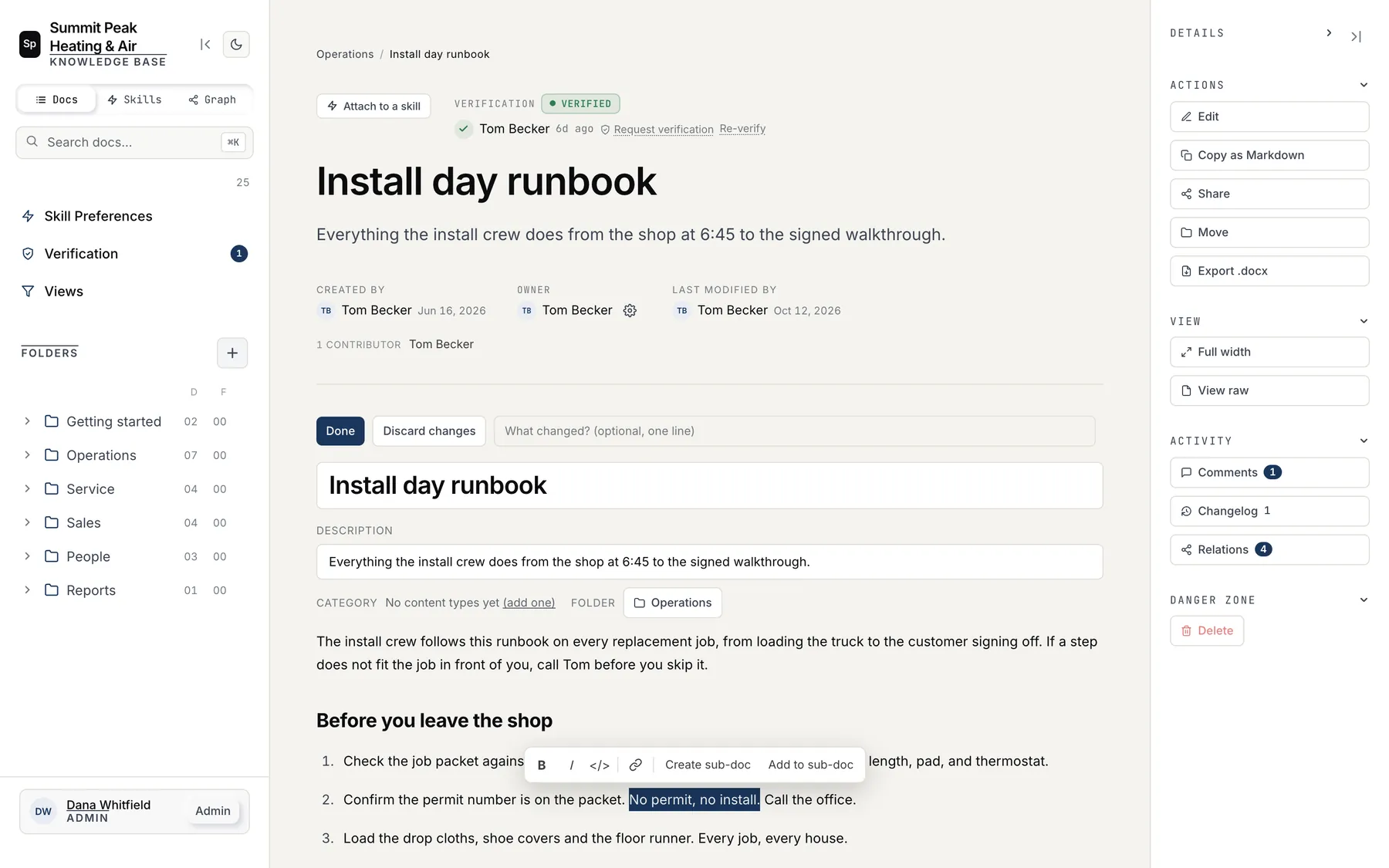
You click Edit on any doc and type, and it saves as you go. Select a phrase and you can bold it, link it, or move it into a sub-doc of its own.
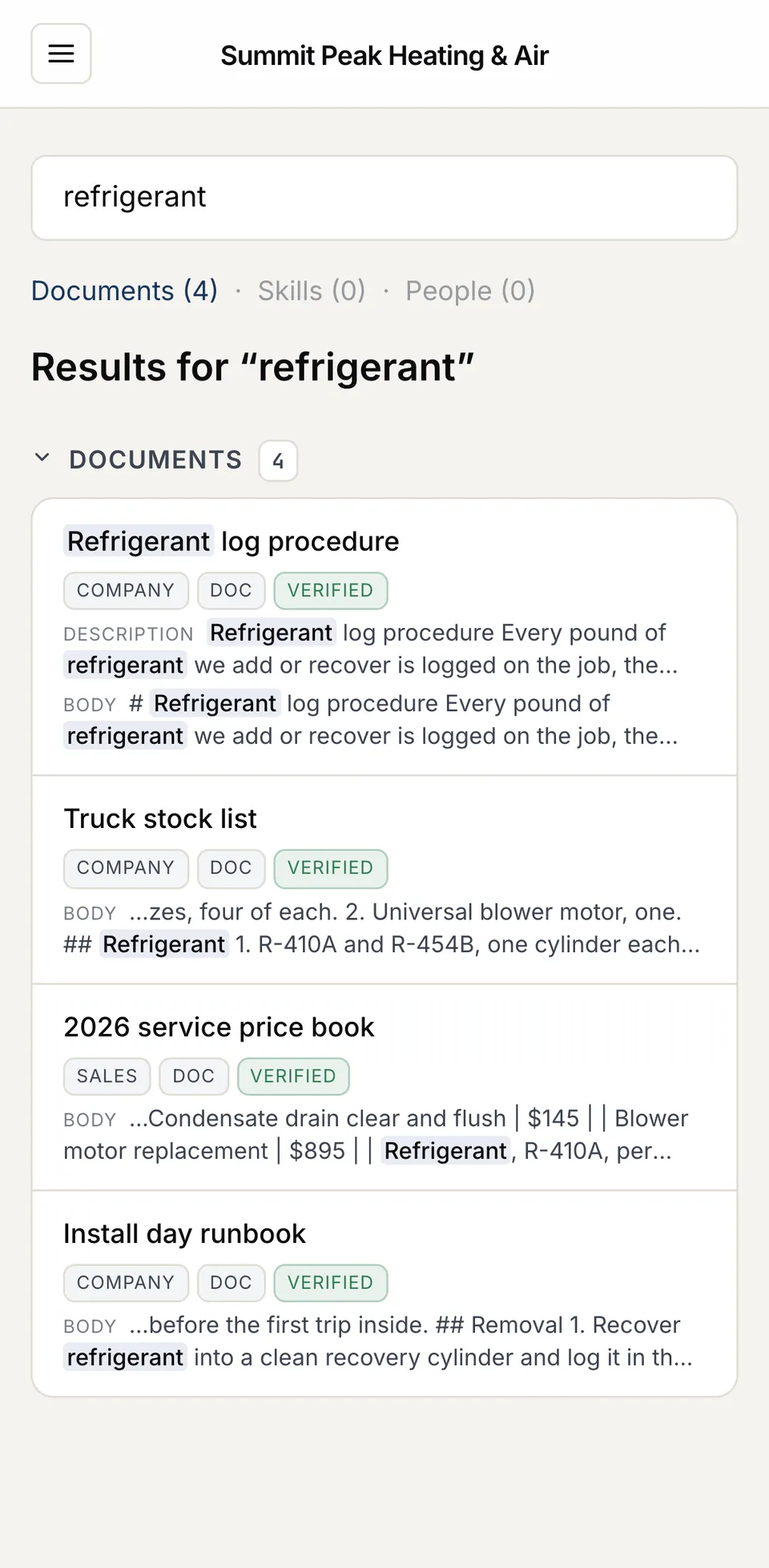
When a tech needs the refrigerant log first thing in the morning, they type one word into search on their phone and get every doc that mentions it, with the matching lines highlighted.
Trust what you read
Every doc shows when it was last checked
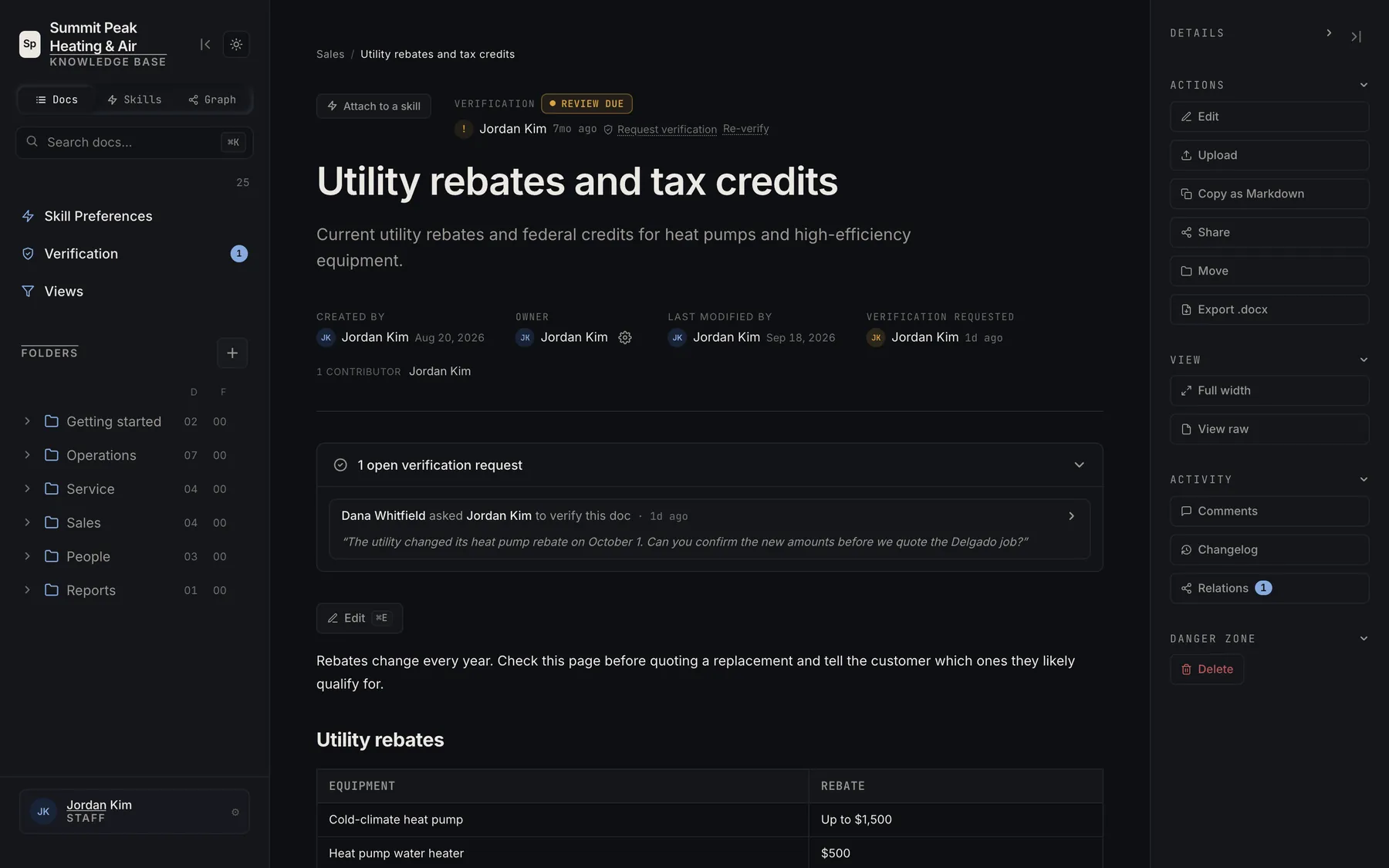
Each page carries its status, Verified, Review due or Not verified, with the name of the person who checked it and when. If a page looks wrong, you ask its owner to verify it right from the page.
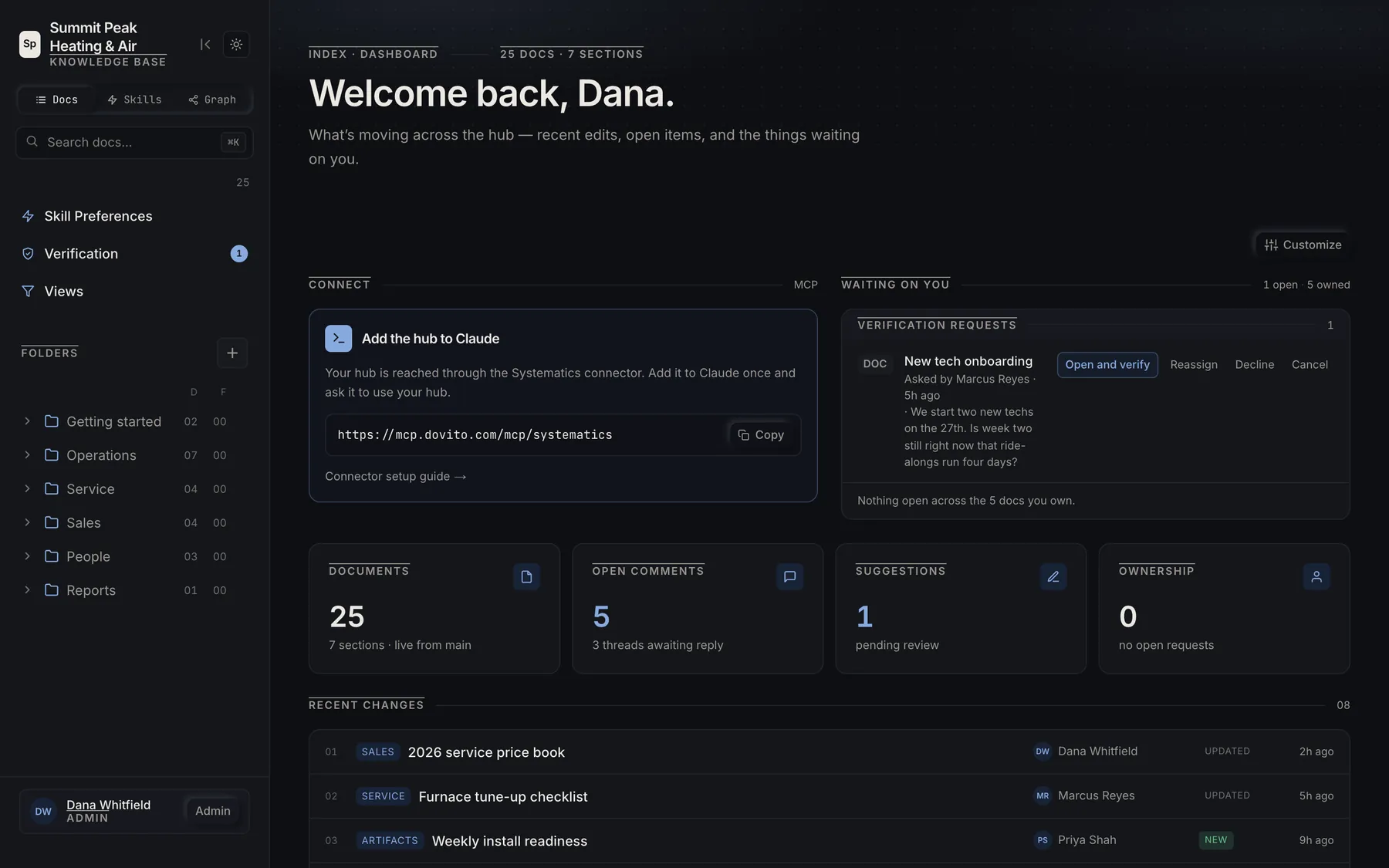
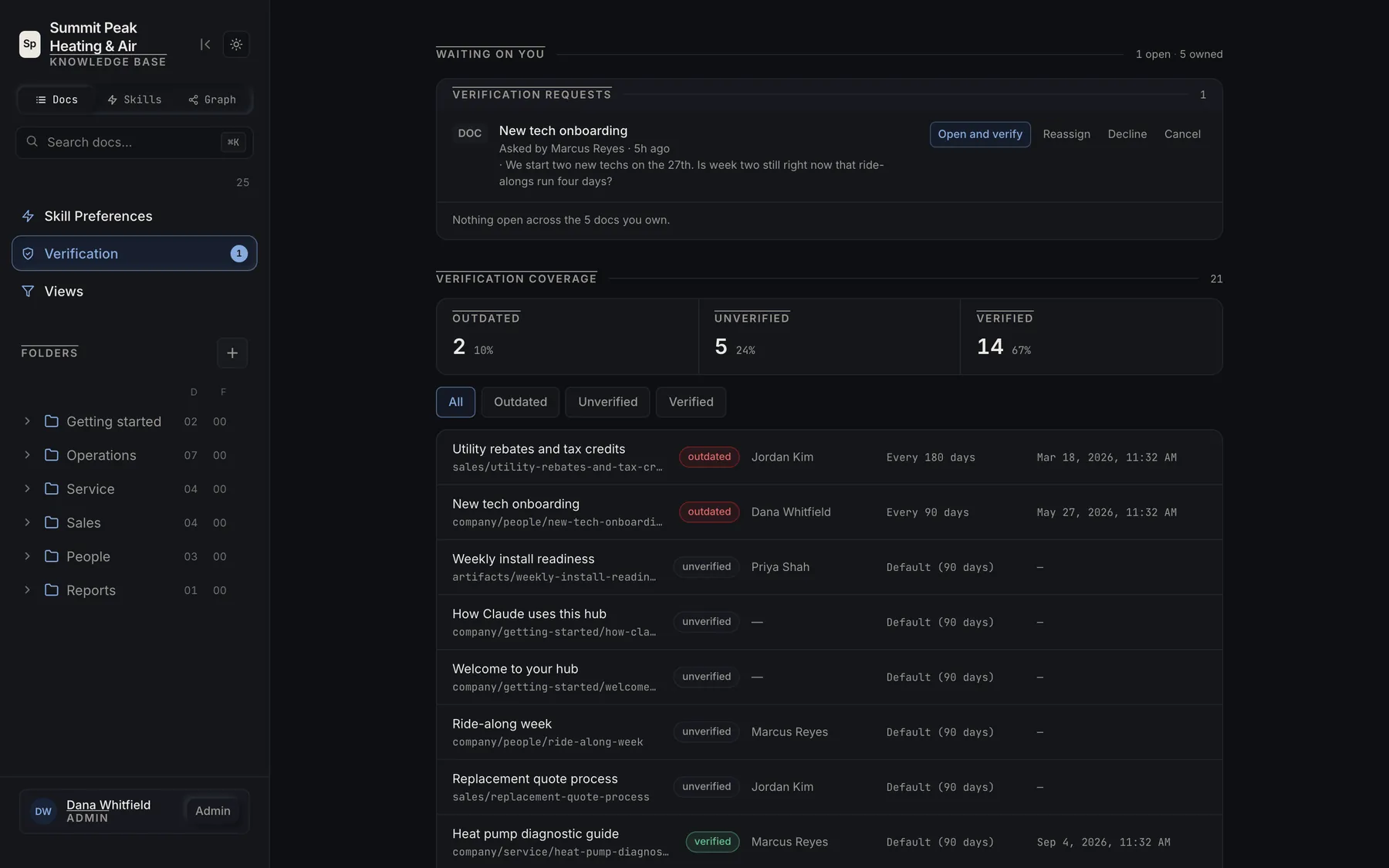
An out-of-date SOP does more damage than a missing one, because people still follow it. The Verification view lists what is waiting on you and how much of the hub is current, and each doc comes due again on a schedule you set.
Review edits
Suggested changes wait for the owner
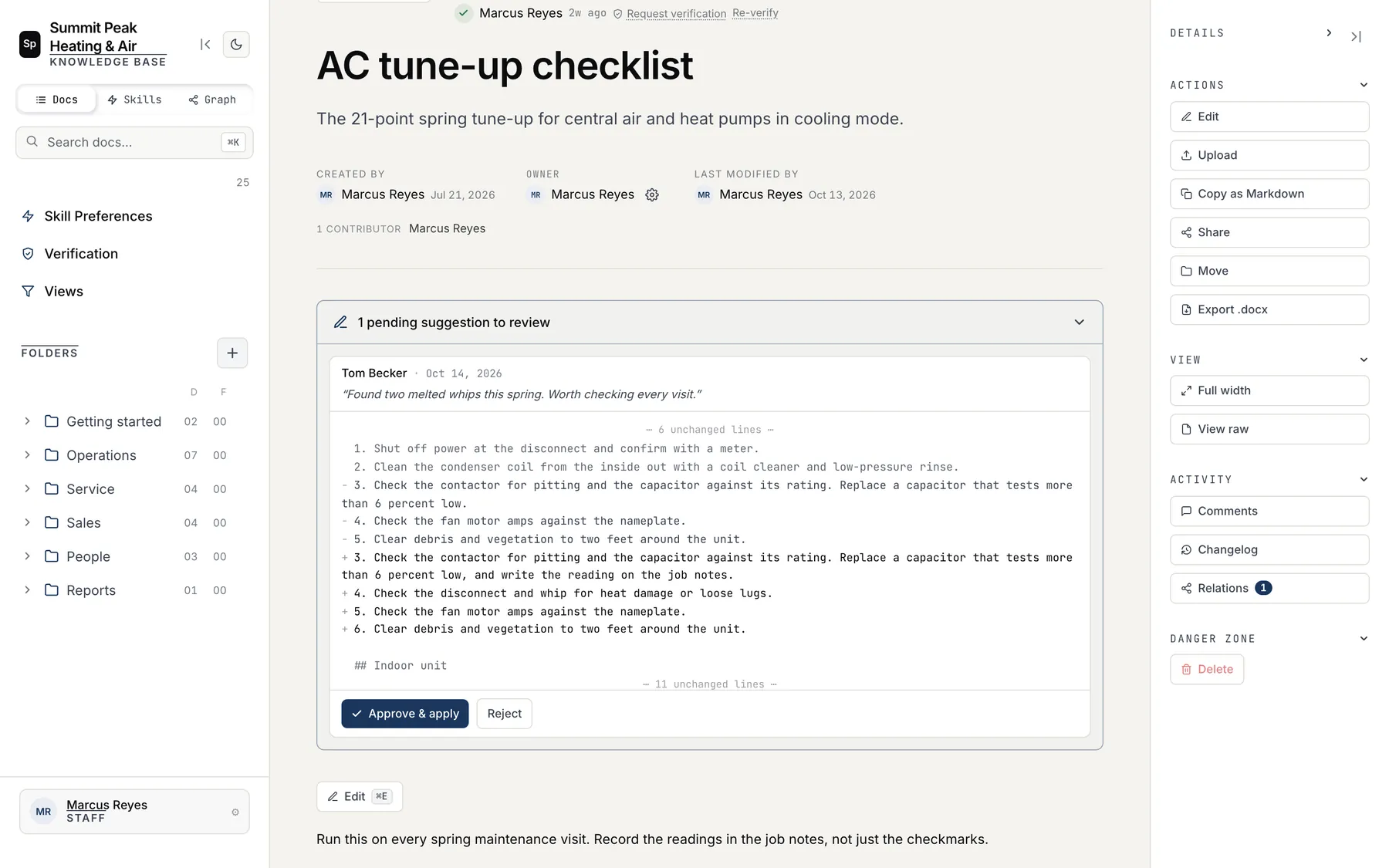
When you don't own a doc, you can still suggest a change. The owner sees exactly which lines changed, reads the note that came with it, and approves or rejects it in one click.
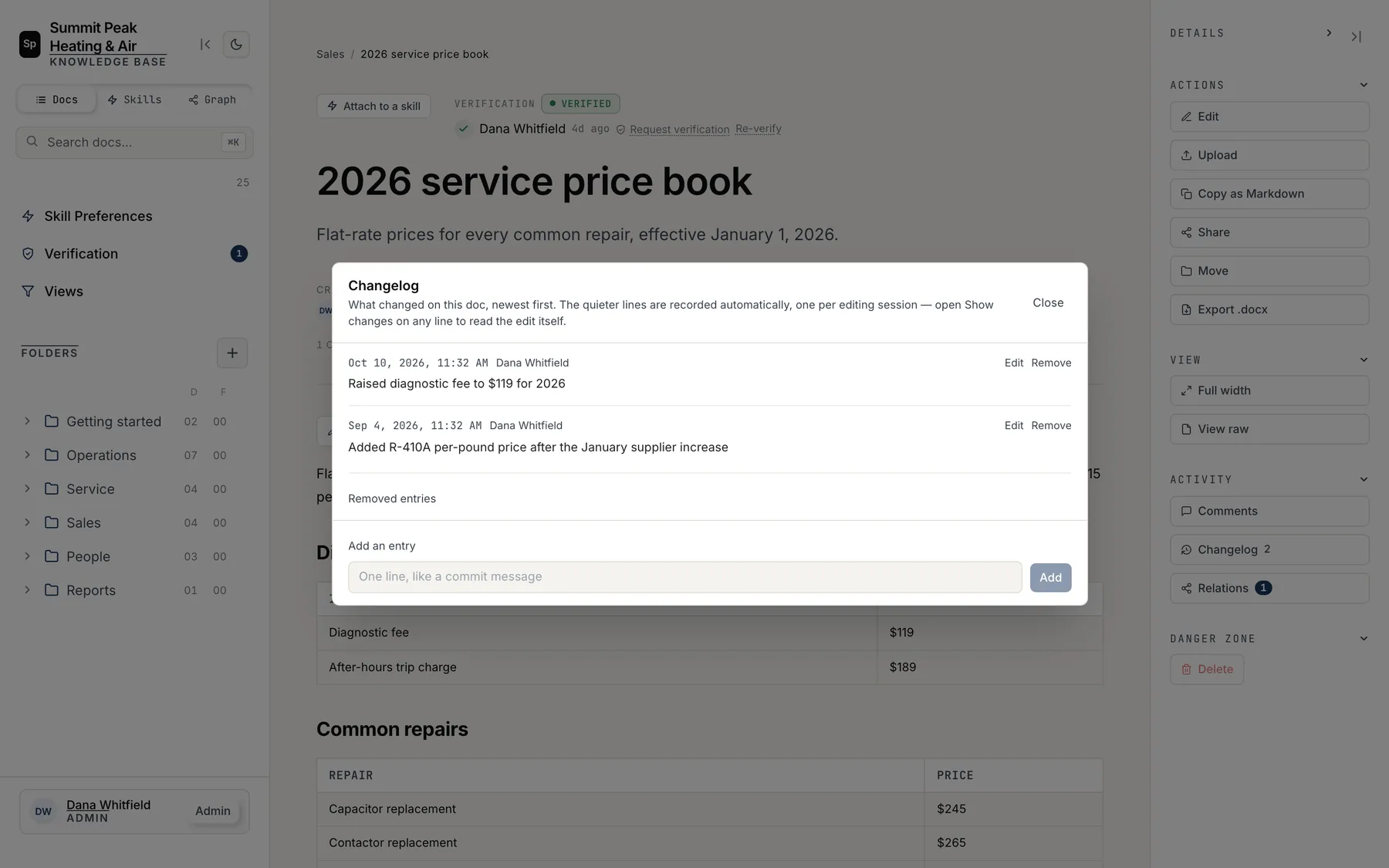
The changelog records every editing session on its own, and you can add a one-line note like "Raised diagnostic fee to $119 for 2026" so the next person knows why the number changed.
Pages and reports
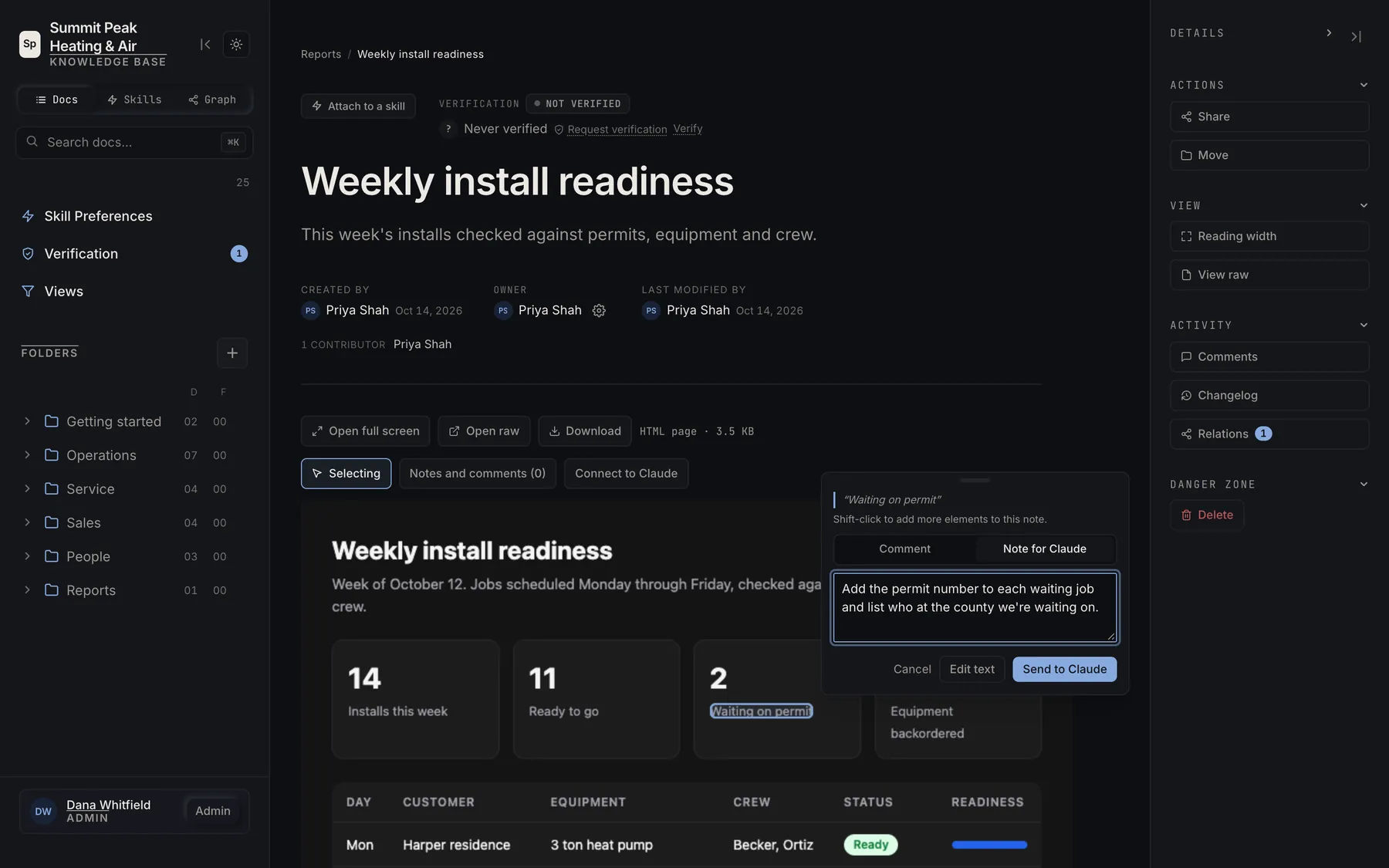
Point at any part of a page and tell Claude what to change
Reports and dashboards go into the hub as HTML pages, in the same folders as your docs. Select anything on a page to leave a comment for your team or a note for Claude, or edit the text yourself.
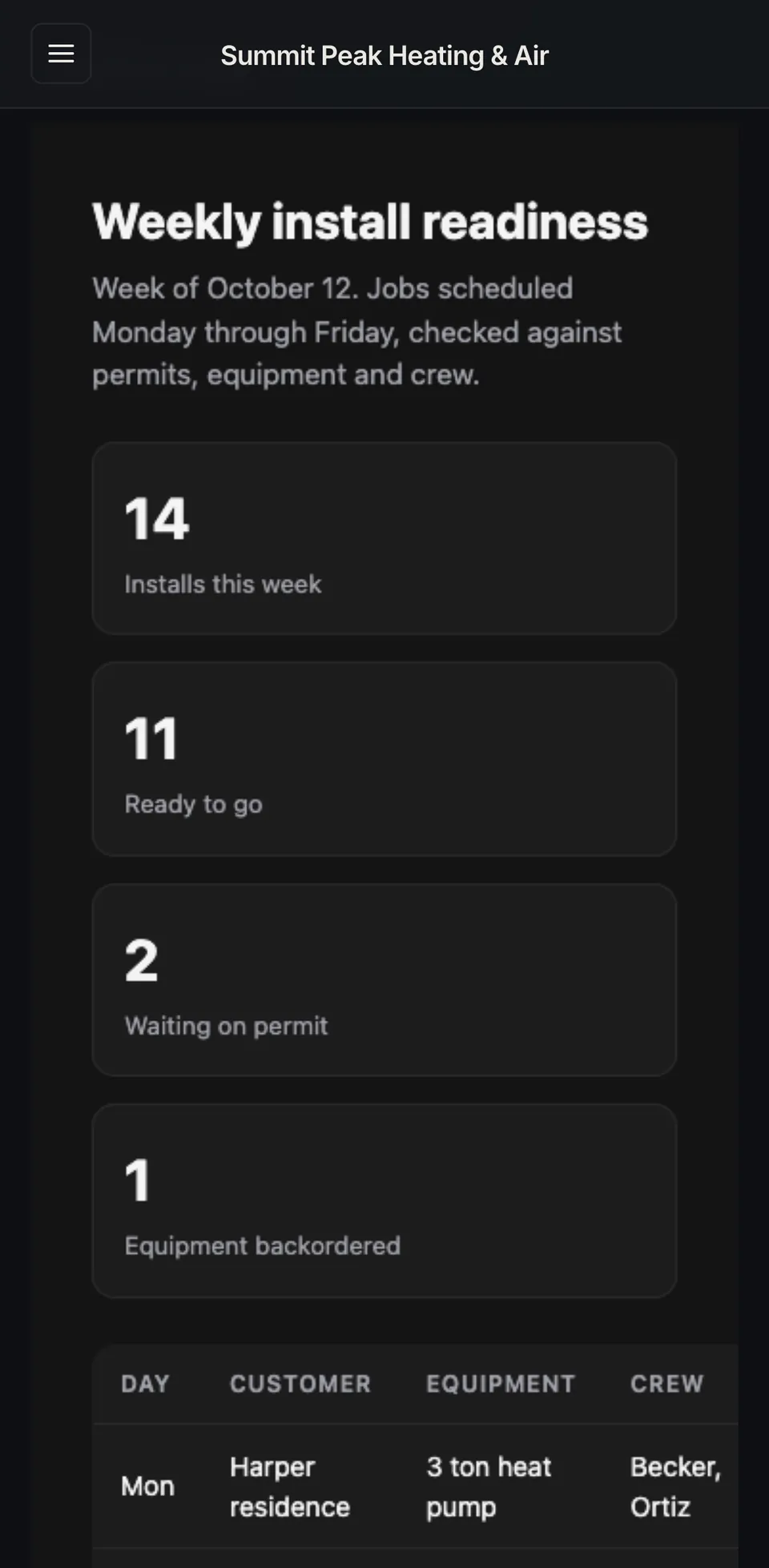
Connect to Claude copies a prompt that links a Claude session to the page, so Claude reads your notes and updates the page while you watch. From the weekly numbers you can get to the procedure behind them in one tap, on a desk or a phone.
Work with Claude
Works with the AI you already use
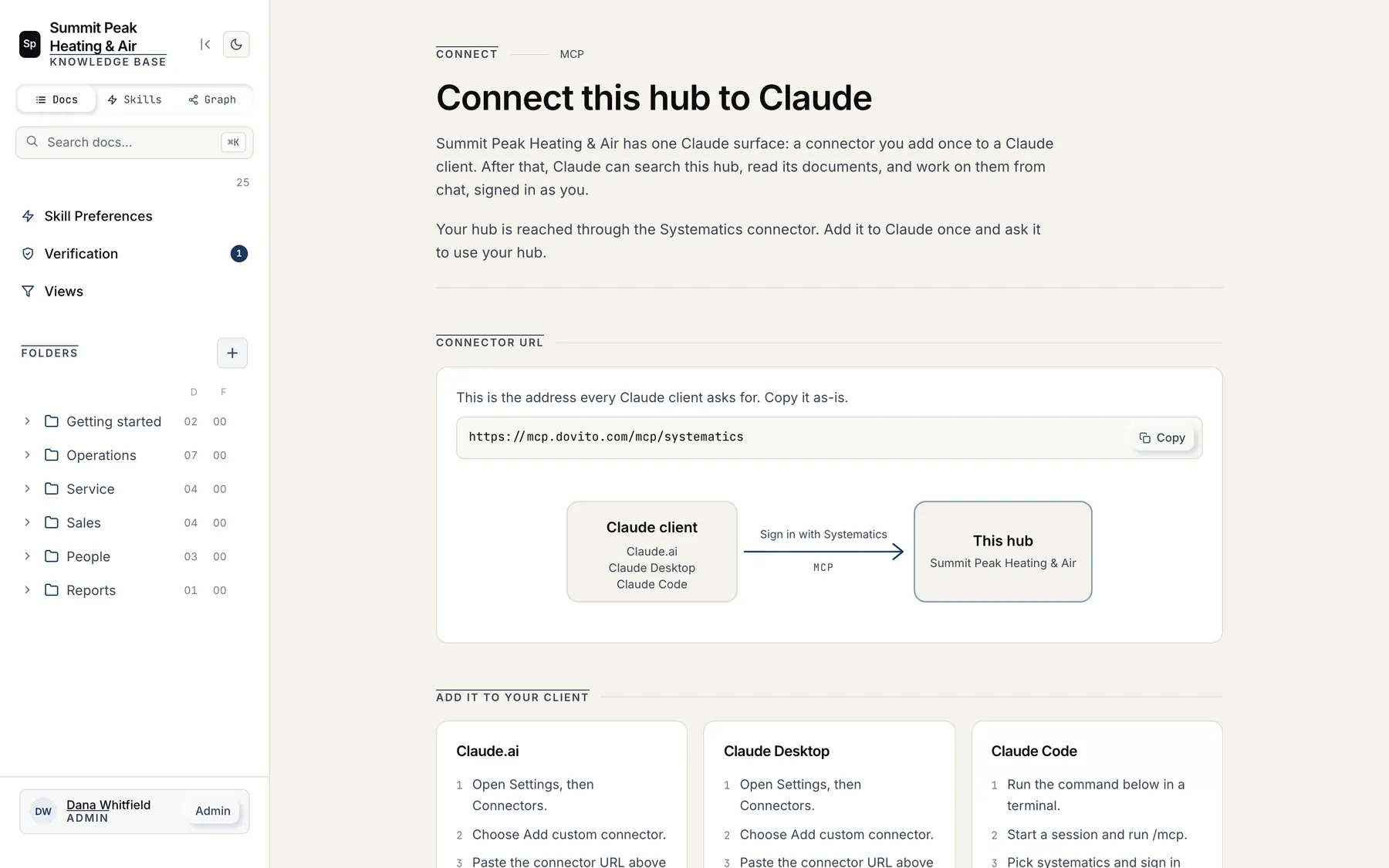
Claude, or any assistant that connects through MCP, can read your Hub. You add one connector address to Claude.ai, Claude Desktop or Claude Code and sign in. After that Claude can search your hub, read its docs and work on them from chat, signed in as you, so it only sees what you're allowed to see.
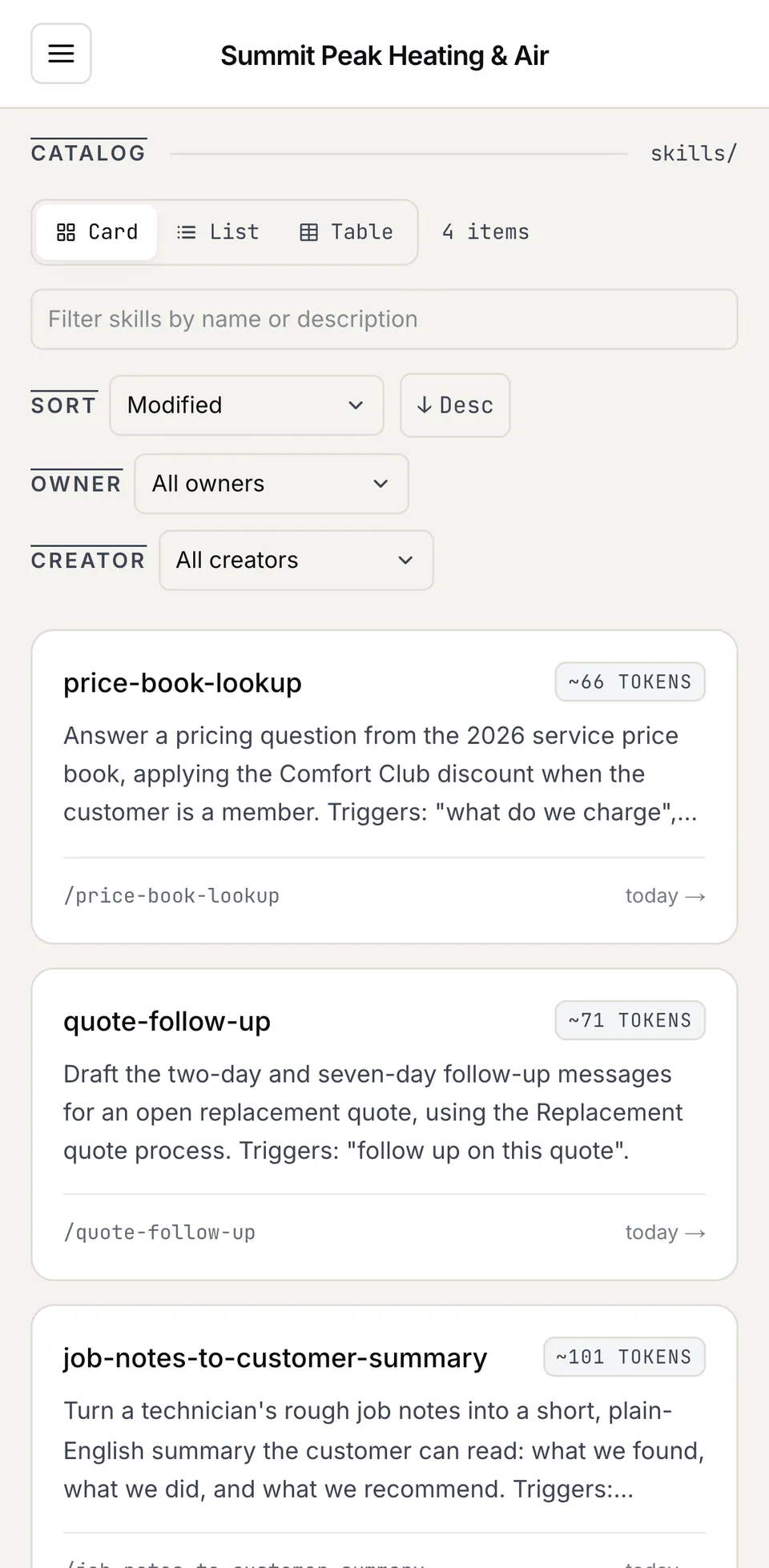
Skills live in the hub too. They're written instructions Claude loads to do a job your way, like turning a tech's rough job notes into a summary the customer can read.
Read it anywhere
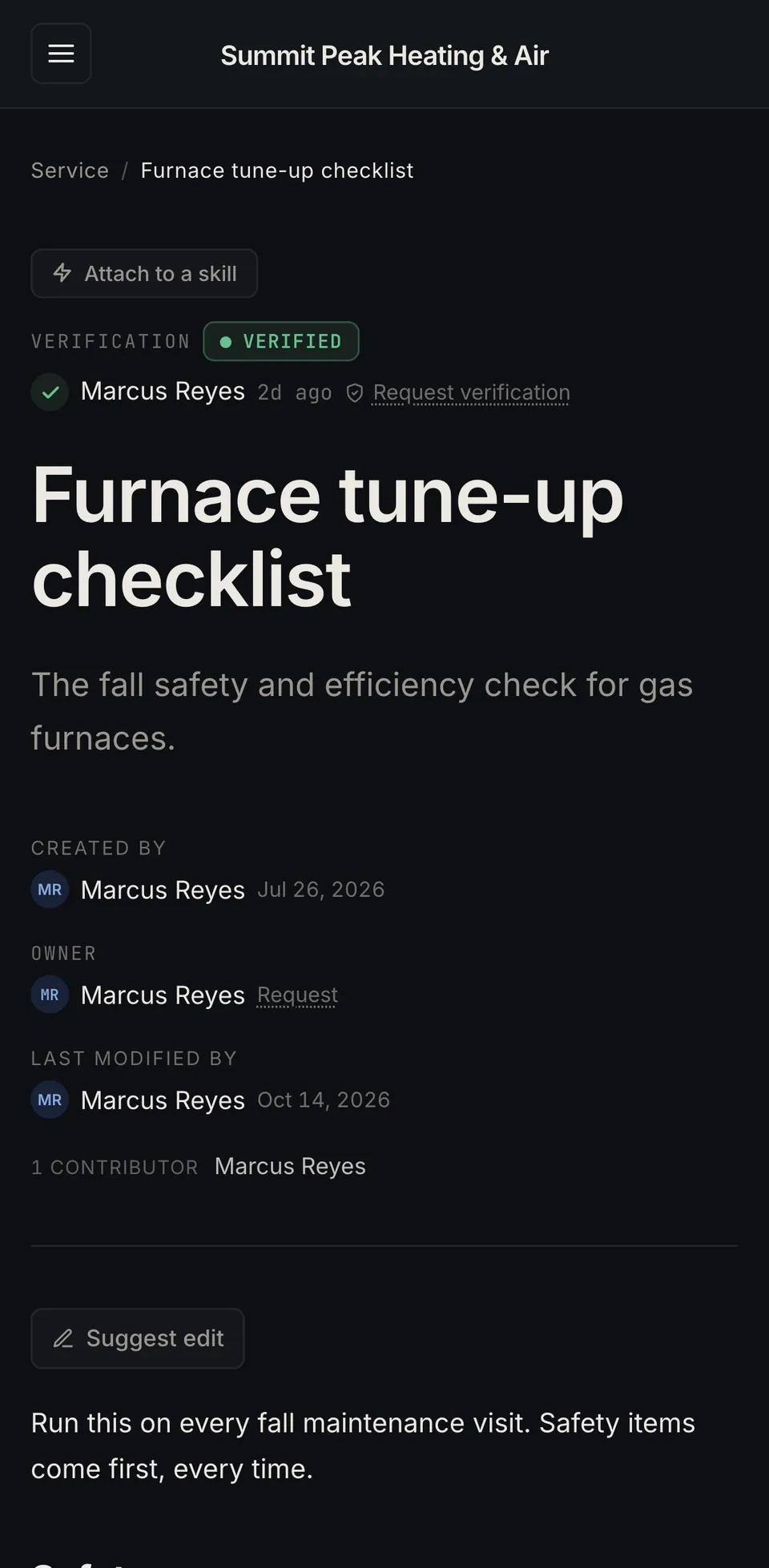
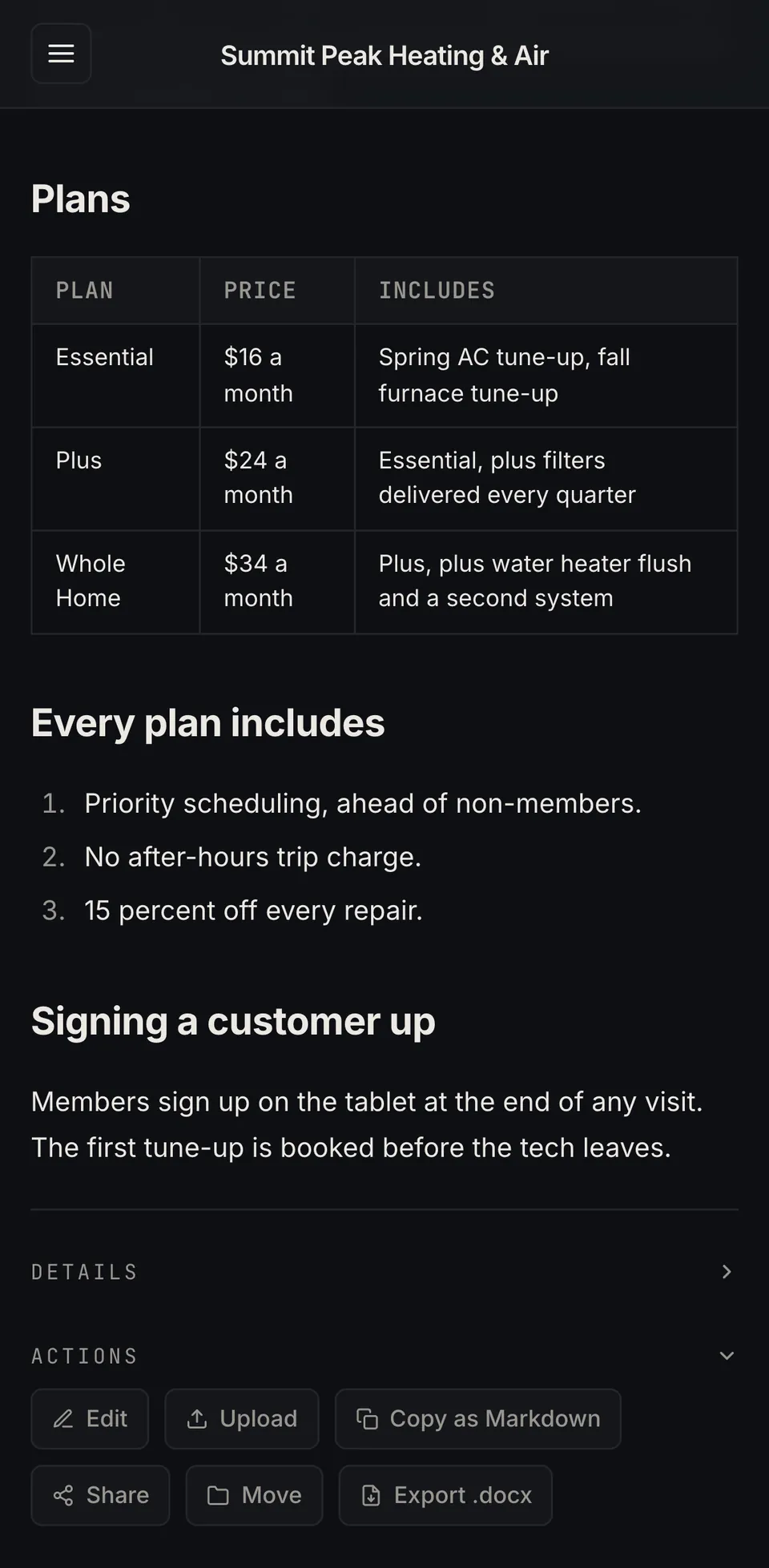
Docs fit a phone
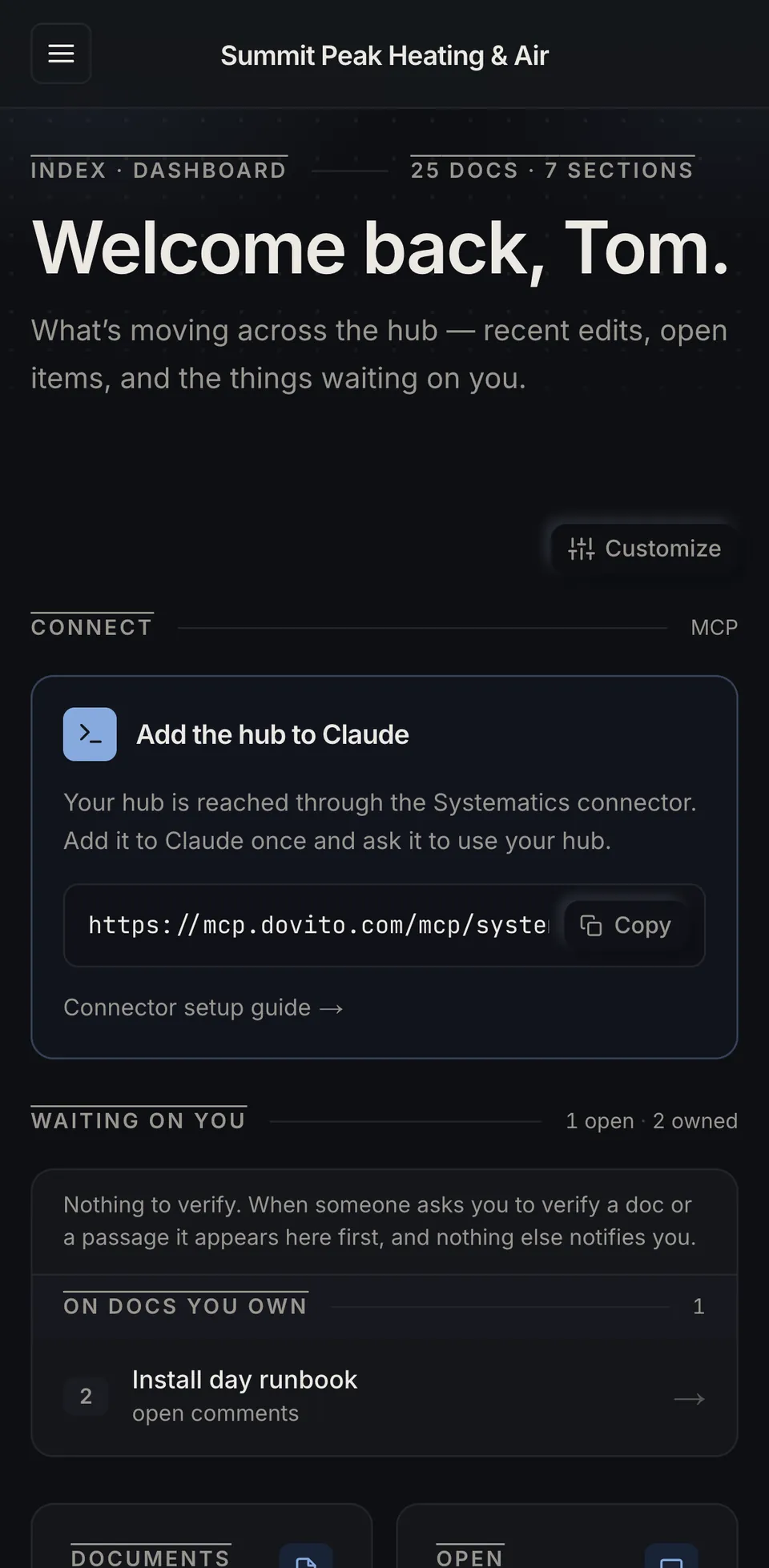
Your crews aren't at a desk, so every doc reads cleanly on a phone, verification status included.
A tech checks the furnace checklist in the driveway, and the office pulls up the membership plans while the customer is on the line.
See the connections
Follow one doc to the next
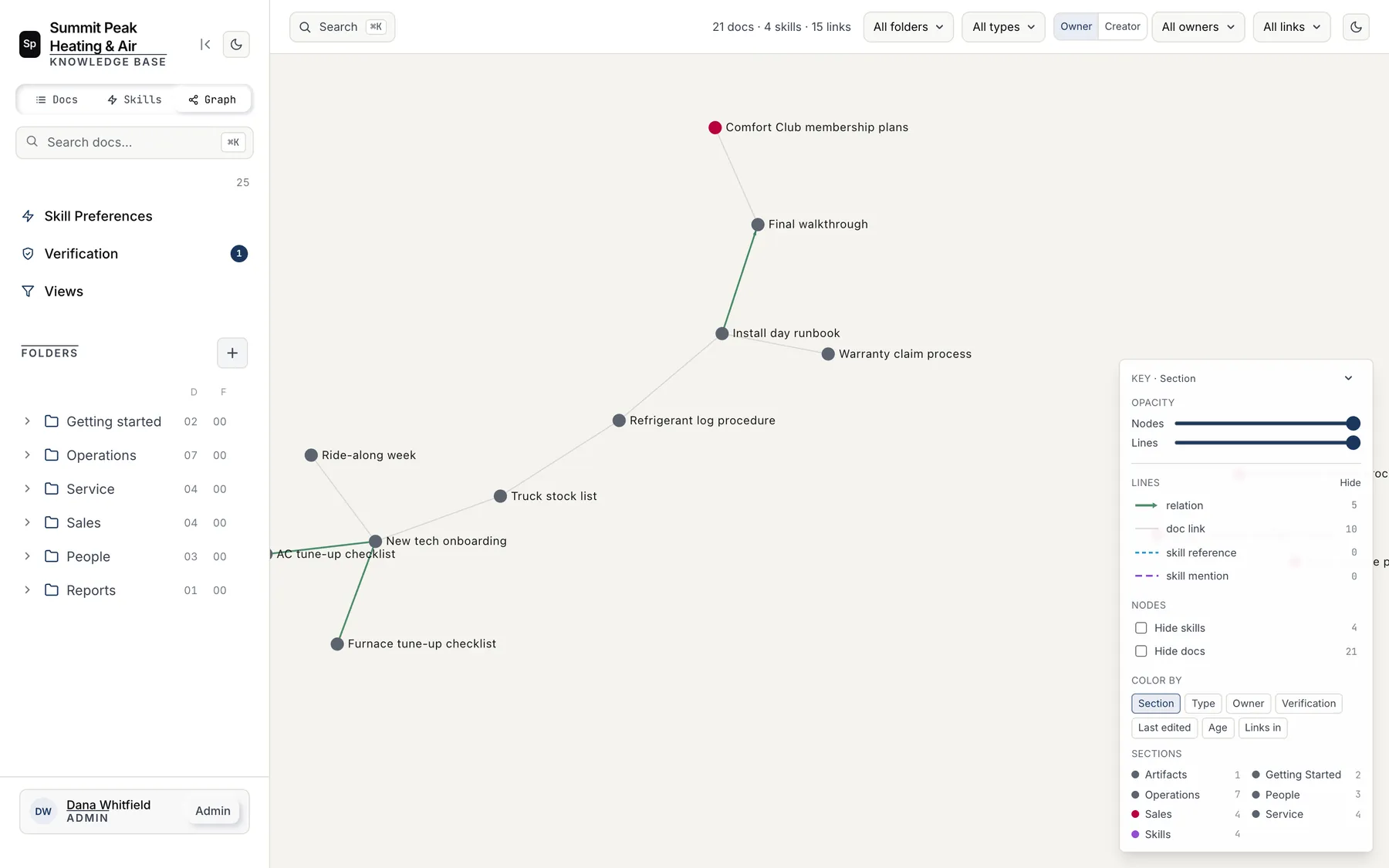
When you link one doc from another, the hub keeps track. The graph lays the whole hub out as a map, so the docs everything else leans on are easy to spot.
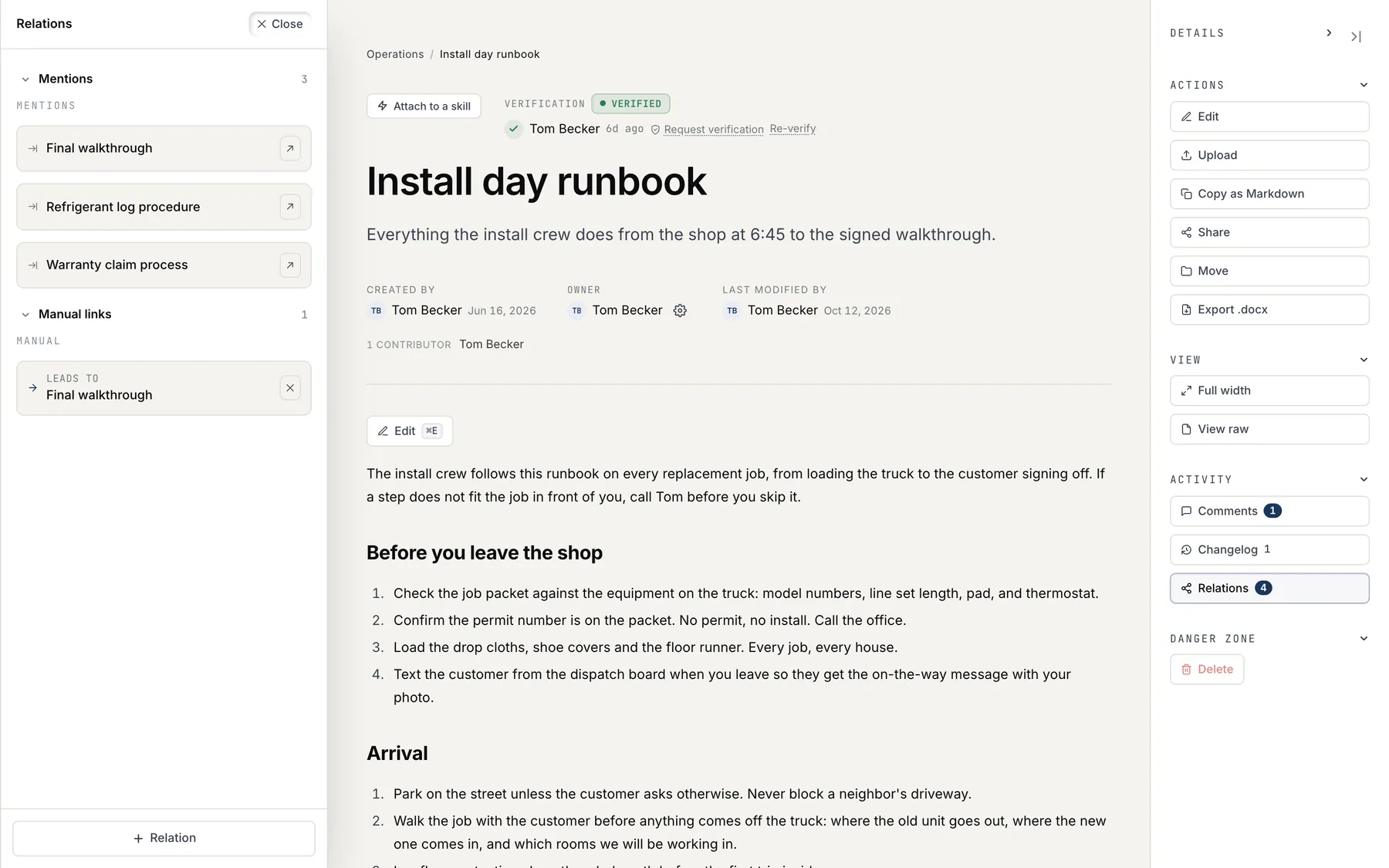
Each doc's Relations panel lists what it mentions and the links you've added by hand, like the install runbook that leads to the final walkthrough.
Work it out together
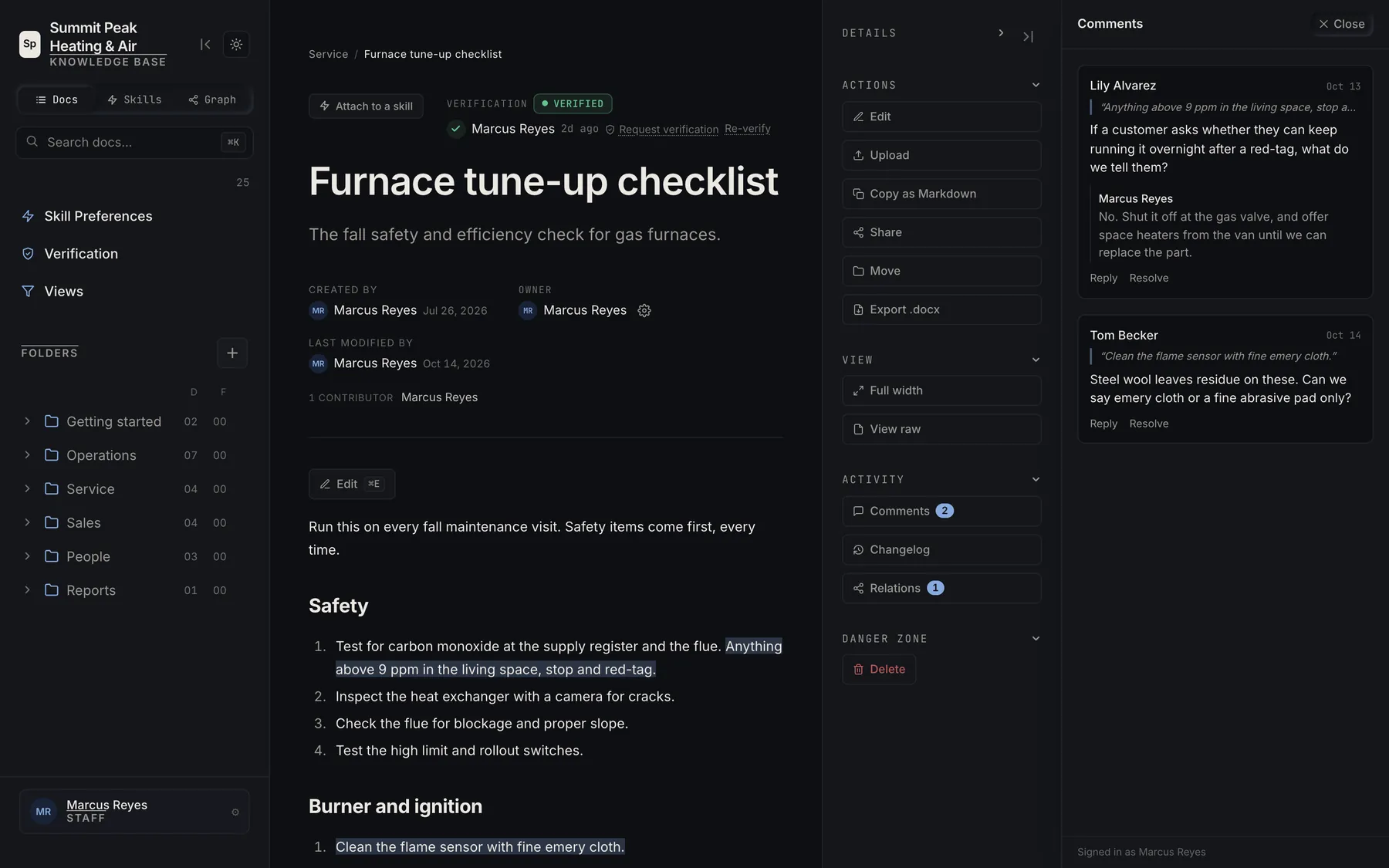
Comment on the exact line
You highlight the sentence that confused you and ask about it there. The thread stays attached to that quote, with replies under it, until someone resolves it.
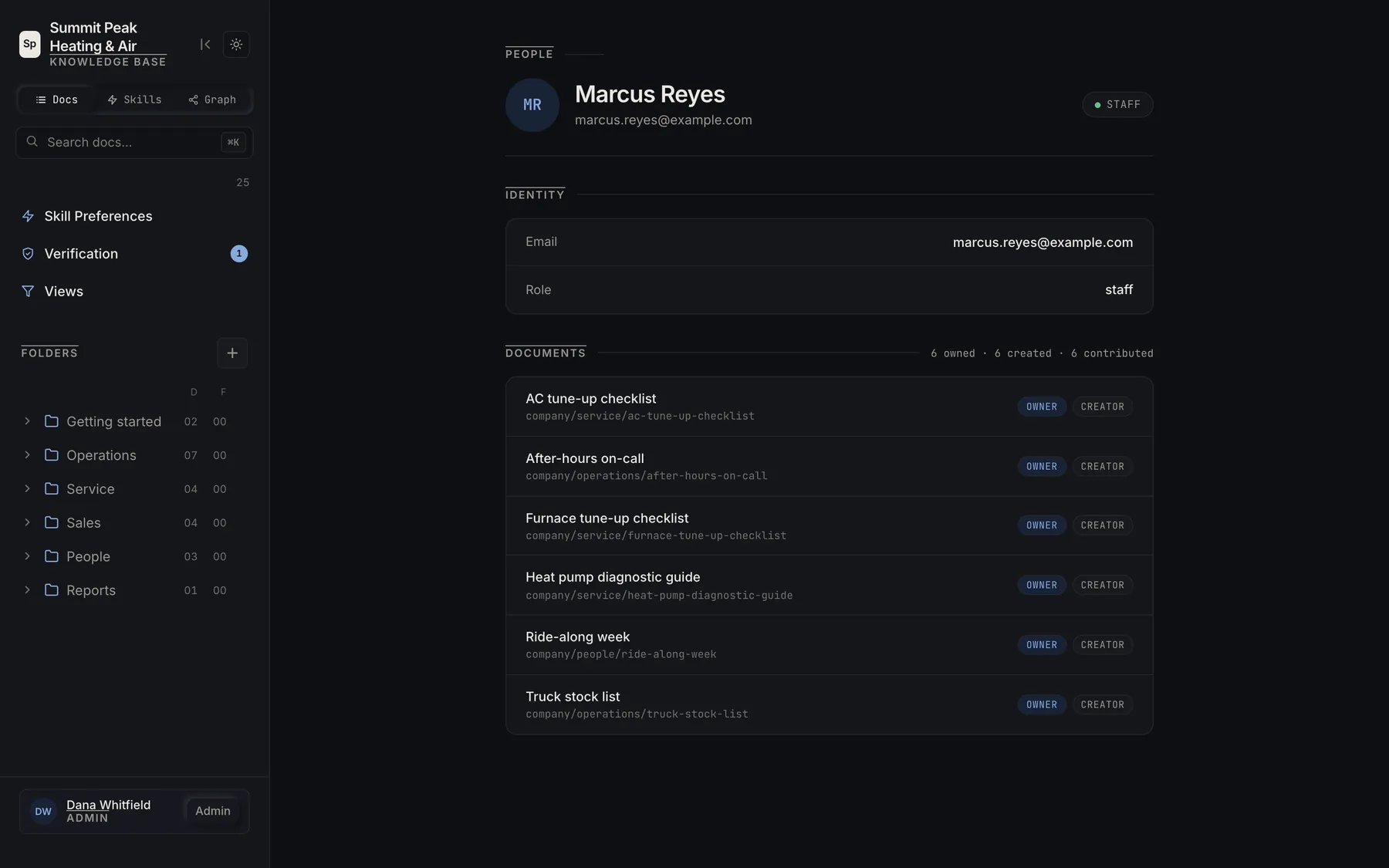
Your profile lists every doc you own, created or contributed to, so when a question comes up it's clear who wrote the page and who to ask.
Control access
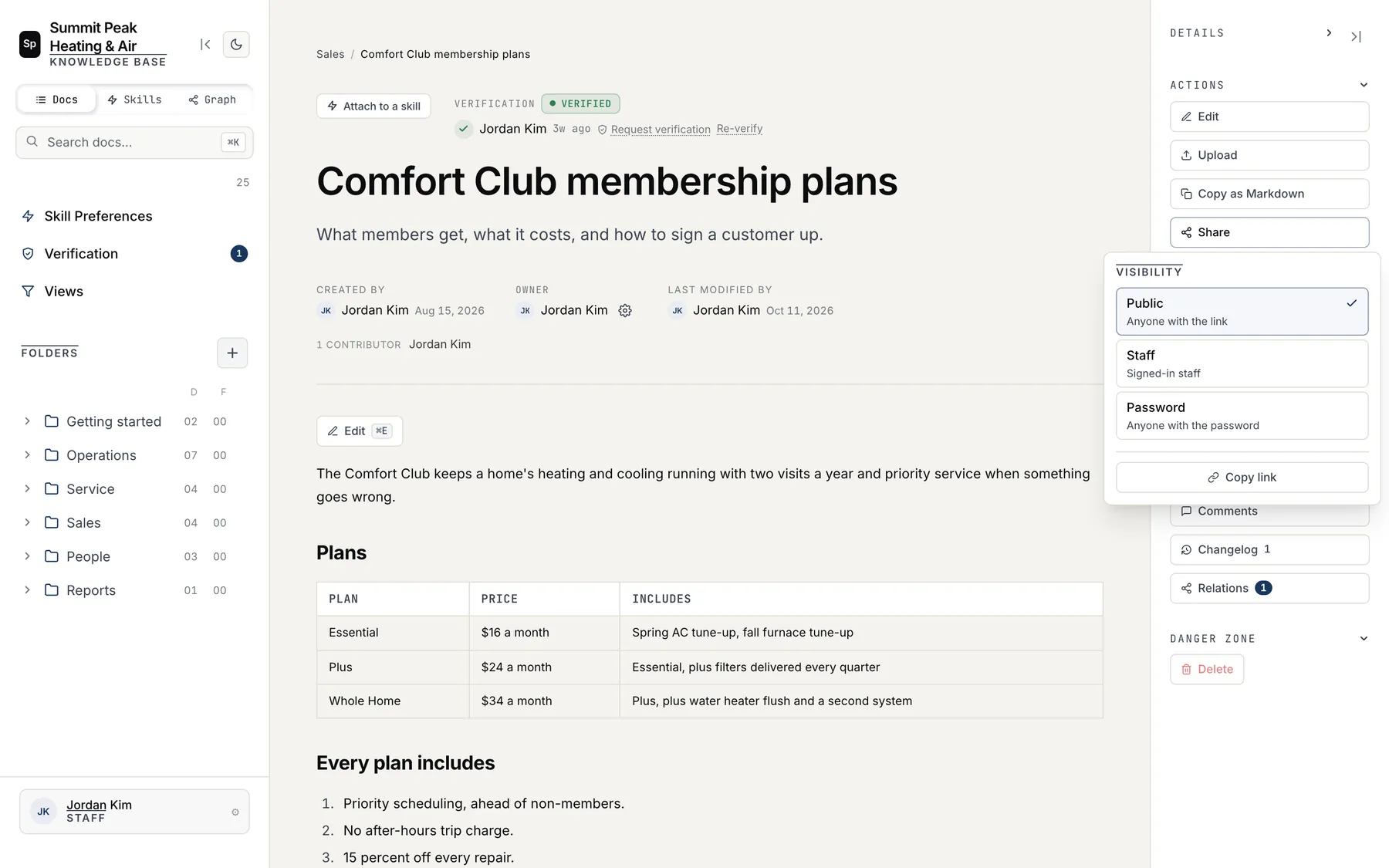
Choose who sees each doc
You set each doc to Public, Staff or Password from its Share menu. Your price book can stay with staff while the membership plans go out to a customer as a link.
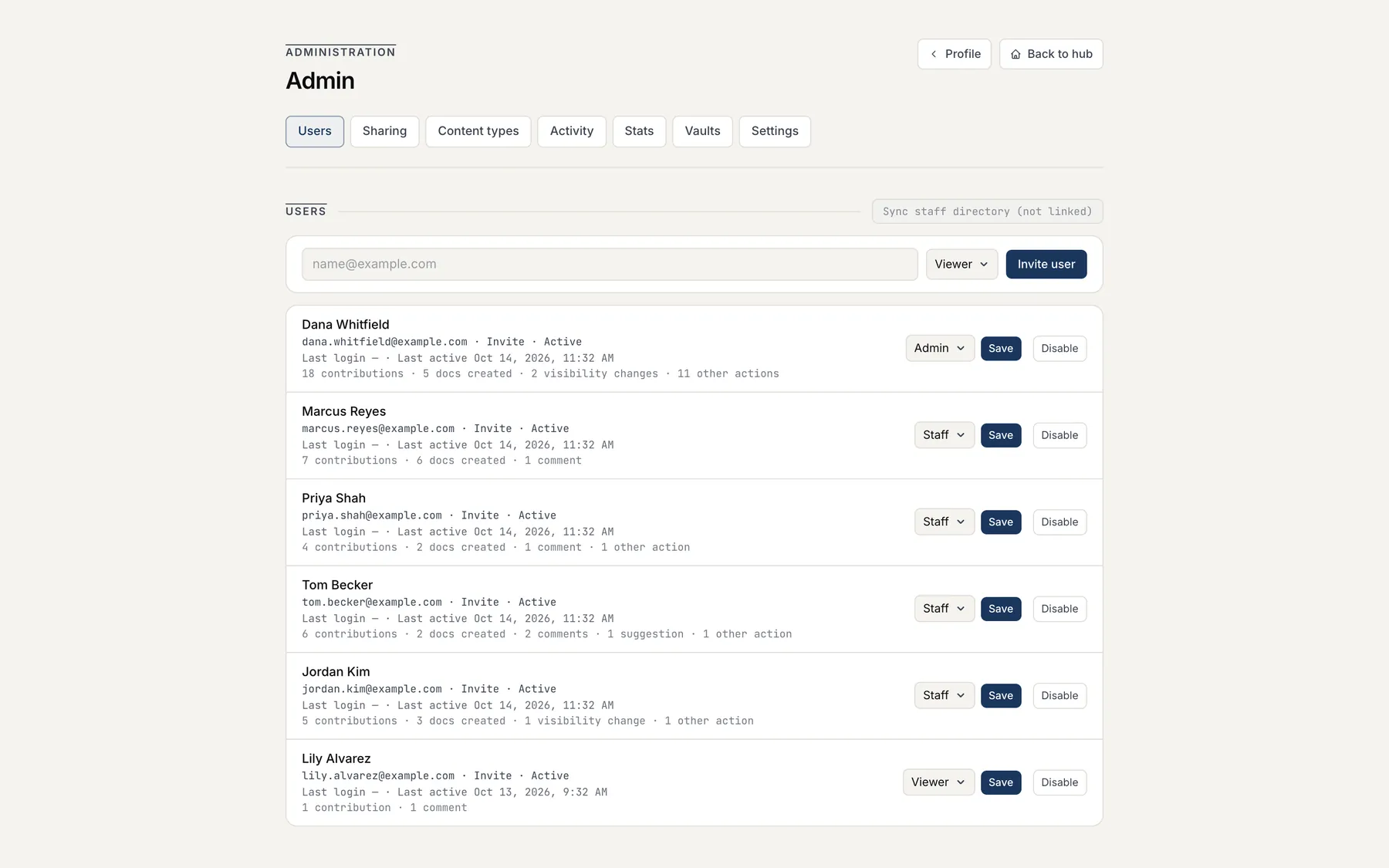
Admins invite people by email, give each one the Admin, Staff or Viewer role, and disable an account the day someone leaves. Nobody signs in without an invite.
See the hub with us on a call
We'll walk you through the Dovito® Hub and talk about what it takes to move your docs into it. Questions go to info@dovito.com.
See the Hub with us →Screens show a demo hub for a fictional company. Names and numbers are made up.